
Your account is protected by multi-factor authentication (MFA). MFA means a verification code is required to access your account. You should never share your code with anyone including anyone claiming to be from 1st Formations. We will never ask you for your MFA verification code.
If you receive a verfication code you didn't request, follow the steps below to help keep your account secure.
1. Change your 1st Formations password
Visit the Client Login page and select the blue ‘click here’ button at the bottom of the page.
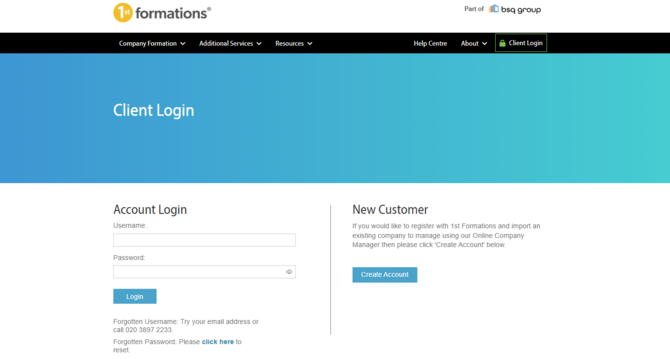
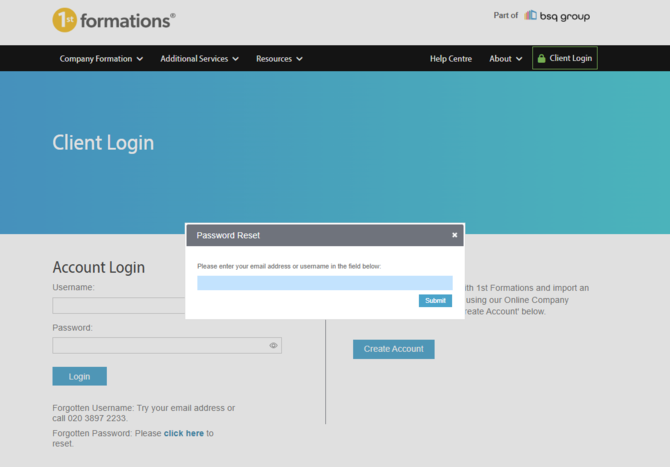
Enter your primary email address. This is the email address 1st Formations uses to contact you and is usually the email address you used when registering your account. We will then send a password reset email securely to you.
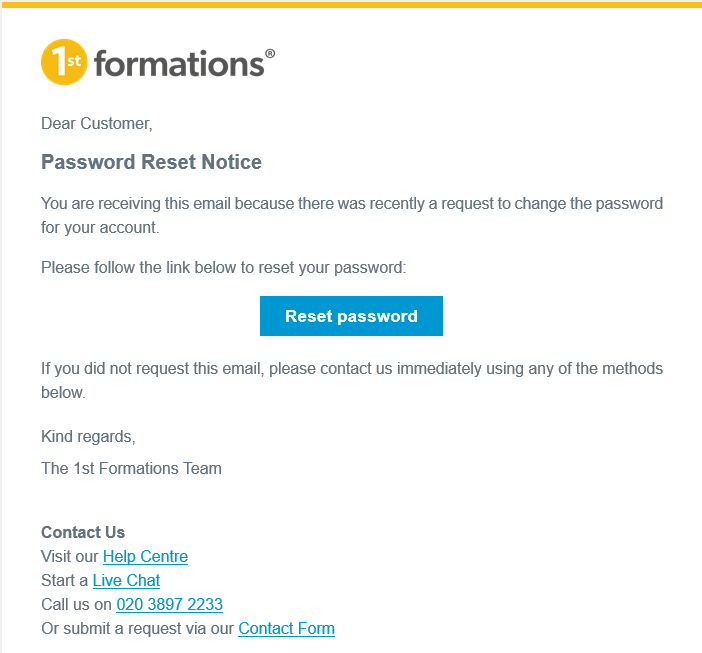
Locate your password reset email and select the blue ‘Reset password’ button.
Enter your new password and follow the instructions to complete the reset. 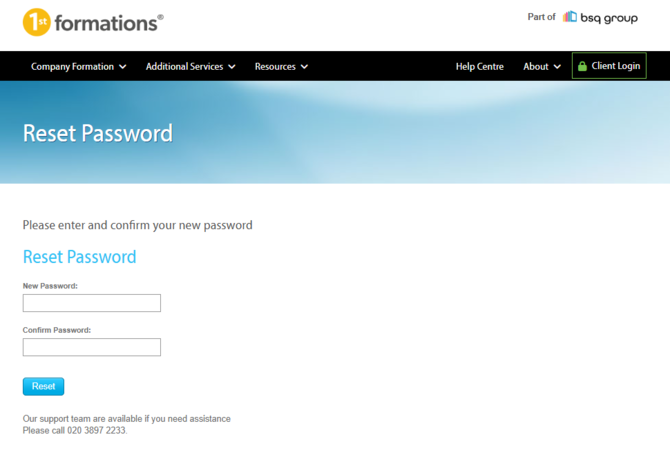
2. Check your email account
Your email account is also important to keeping your 1st Formations account secure. If you think someone else may have access to your emails, change your email password too.
Gmail
- Navigate: Open your Google Account Settings and select Security.
- Verify: Click Password and enter your current credentials.
- Update: Type your new password and click Change Password.
Outlook
- Navigate: Open the Microsoft Account Portal and select Security.
- Verify: Click Change password and enter your current credentials.
- Update: Type your new password and click Save.
Yahoo Mail
- Navigate: Click your Profile icon, choose Account Info, and select Security.
- Verify: Click Change password and confirm your identity if prompted.
- Update: Type your new password and click Continue.
3. Contact us
If you’re concerned that someone may have accessed your account, please contact us immediately.
Email: You can submit a request using our contact form
Phone: 020 3897 2233
Live Chat: Select the live chat icon on the bottom right