
What is multi-factor authentication ?
MFA is an extra security check at login. Alongside your password, you enter a one-time verifcation code sent to your email, so no one can access your account with your password alone. This helps keep your company and personal data safe.
How to log in
1. Enter your username and password on the Client Login page, and click 'Login'.
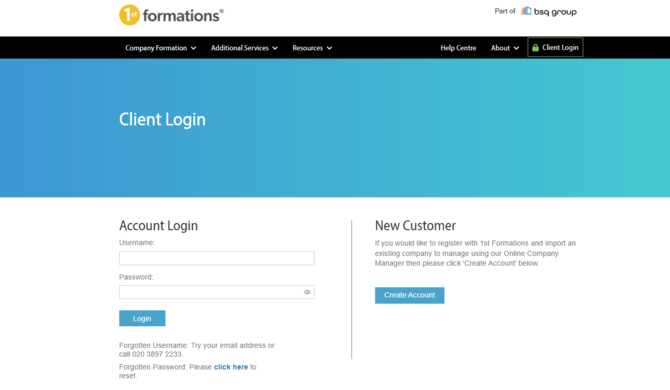
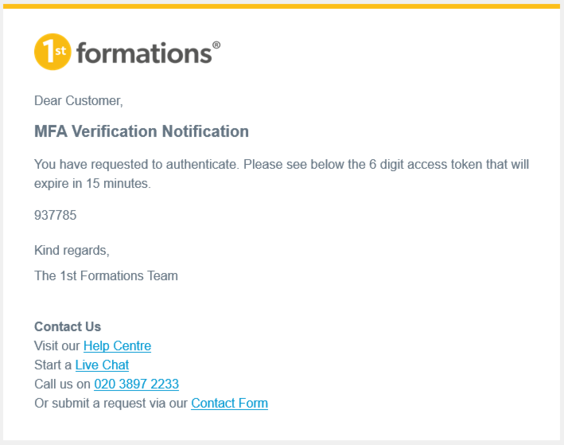
2. Check your email for a verification code. We'll send it to the primary email address on your account, which is the one 1st Formations uses to contact you - and is usually the email address you registered with.
Look for an email from no-reply@1stformations.co.uk with the subject line "MFA Verification: Token code for login."
3. Enter your code, and you'll be logged straight in.
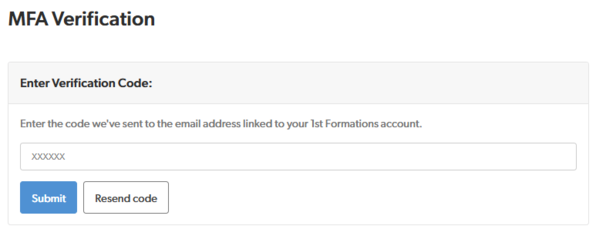
Your code is valid for 15 minutes. If you don’t receive or can’t find your code, you can request a new one after 60 seconds. If you receive multiple emails, make sure you enter the most recent code.
Received a code you didn't request?
If you have received a multi-factor authentication (MFA) code but did not attempt to log in, reset your password and contact us immediately using the details below. Our team is available Monday-Friday from 09:00 - 17:30.
Can't find your code?
- Check your spam or junk folder.
- Check any other inboxes you use, as the code goes to your primary email address, which may not be your username.
- If you no longer have access to that email address, contact our customer support team for help.
- Never share your code. 1st Formations will never ask you for it by phone, email or chat.
Not found what you're looking for?
Please get in touch and we'll be happy to help:
Email: You can submit a request using our contact form
Phone: 020 3897 2233
Live Chat: Select the live chat icon on the bottom right